 Skip to content


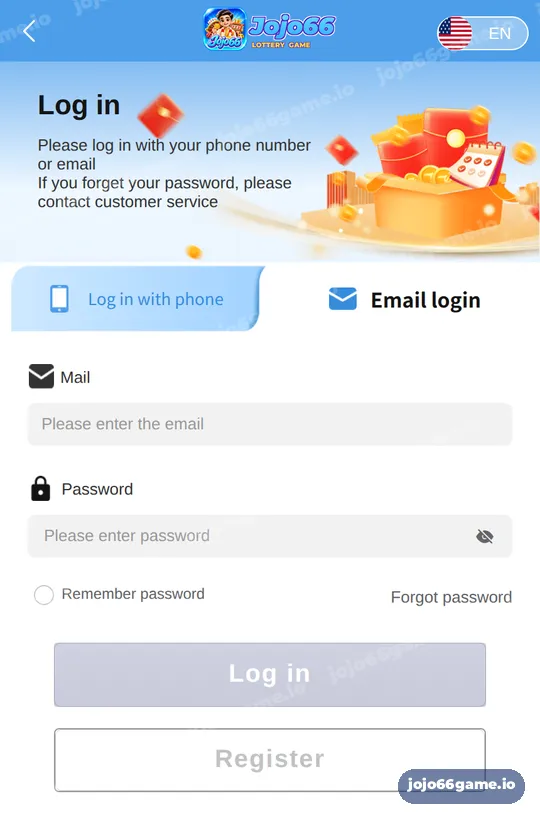
Quick answer: Jojo66 login takes under a minute. Tap Log in, choose Log in with phone or Email login, enter your +91 number or email and your password, then tap Log in. The screen also offers Remember password and a Forgot password link, and reminds you to contact customer service if you cannot recall your password.
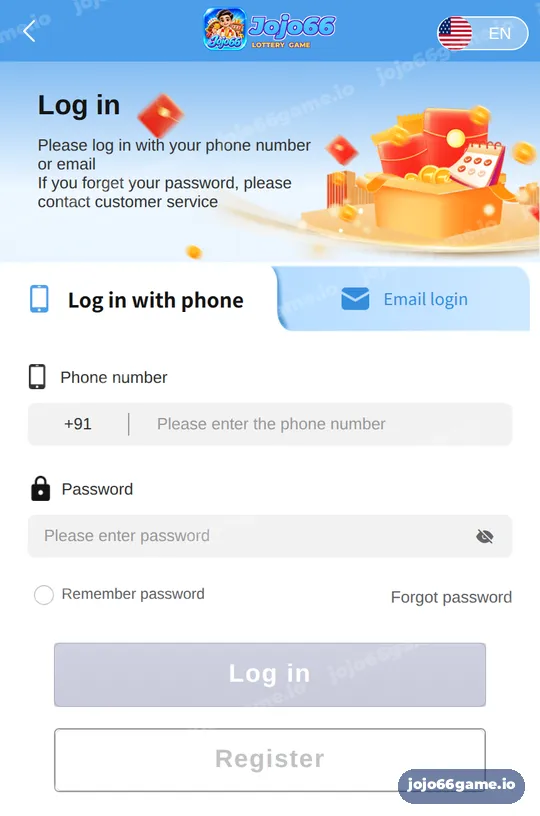
What are the 5 steps for Jojo66 login?
- Tap the Login button on this page or the Log in button at the top of the app.
- Choose the Log in with phone tab, or the Email login tab if you use email.
- Enter your 10-digit mobile number after the +91 code, or your email address.
- Type your password. Tap the eye icon if you want to check it.
- Tick Remember password only on your own phone, then tap Log in.
Phone login vs email login on Jojo66
| Option | What you enter | Best for |
|---|---|---|
| Log in with phone | +91 number and password | Most players; this is how accounts are created |
| Email login | Email address and password | Players who linked an email to their account |
| Remember password | Saves details on this device | Personal phones with a screen lock |
| Forgot password | Starts a reset with a verification code | When you cannot recall the password |
Detailed pages: Jojo66 phone login and Jojo66 email login.
Why is my Jojo66 login not working?
- The number was typed with a leading 0 or with +91 again.
- The wrong tab is selected, for example email details on the phone tab.
- Caps Lock or a different keyboard language changed the password.
- An old password is saved after a reset.
- The network is weak or the app needs an update.
Fixes for each case are on the login problem page. If you no longer know the password, use Jojo66 forgot password.
How do I keep my Jojo66 login secure?
Use a unique password, do not share it and log out on shared devices. Support never needs your password or verification code. Change your password from time to time using the change password guide. More context is on our Jojo66 lottery home.
Key takeaways
- Two login tabs: phone and email.
- Use Forgot password for resets; it sends a verification code.
- Remember password is for personal devices only.
Jojo66 login FAQ
Can I log in to Jojo66 with my phone number?
Yes. Use the Log in with phone tab, which already shows the +91 code, then enter your number and password.
Can I log in to Jojo66 with email?
Yes, if an email is linked to your account. Use the Email login tab.
What if I forgot my Jojo66 password?
Tap Forgot password, choose Phone reset or Email reset, set a new password and enter the verification code you receive.
Is Remember password safe?
Only on your own phone with a screen lock. Do not use it on shared devices.
Does one Jojo66 login work in the app and browser?
Yes. The same account works in the Android app, the browser and the home-screen shortcut.
Who can help if I am locked out of Jojo66?
Customer service, through LiveChat or Telegram on the customer service page.
Related Jojo66 guides
- Jojo66 Phone Login: Sign in with your mobile number and password.
- Jojo66 Register: Open a new account with your phone number.
- Jojo66 Forgot Password: Reset your password with a verification code.
- Jojo66 App: Install the app on Android or add it on iPhone.
- Jojo66 APK Download: Download and install the Android file safely.
- Jojo66 Minimum Deposit: Start small and still use deposit tiers.
- Jojo66 Fortune Gems: Three reels plus a multiplier reel.
Last updated: November 22, 2026
